Showing posts with label Tech Review. Show all posts

Monday, 29 July 2013

Nokia Lumia 1020 - Ultimate Smartphone Camera

I know Windows Phones have been in the shadows due to lack of competitive features that are present in the flagships of Android and IOS smartphones, but with the introduction of the Nokia Lumia 1020 and its 41MP Camera, its no doubt that Nokia is raising the bar in terms of what one would be expecting from their smartphones.

The question though in many consumer's minds is if this is worth shelling their hard earned cash on or would it be better to simply stick to the current market leaders and what they offer. That's what we'll mention in our final analysis at the end of this article.

Nokia Lumia 1020 at a glance

  • General: GSM 850/900/1800/1900 MHz, UMTS 850/900/1900/2100 MHz; HSDPA 42.2 Mbps, HSUPA 5.76Mbps; LTE bands 1, 3, 7, 8, 20 LTE Cat 3 100Mbps down, 50Mbps up
  • Form factor: Touchscreen bar
  • Dimensions: 130.4 x 71.4 x 10.4; 158 g
  • Display: 4.5" 16M-color WXGA (768 x 1280 pixels) ClearBlack AMOLED capacitive touchscreen; PureMotion HD+, 2.5D sculpted Gorilla glass 3; Super sensitive touch
  • Chipset: 1.5GHz dual-core Krait processor, Adreno 225 GPU, 2GB of RAM
  • OS: Windows Phone 8
  • Memory: 32/64 GB of built-in storage;
  • Still camera: 41 megapixel camera with 6-element ZEISS lens, OIS, 3x zoom, xenon and LED flashes
  • Video camera: 1080p video recording at 30fps with two Rich Recording mics; 1.2MP front-facing camera with 720p video
  • Connectivity: dual-band Wi-Fi a/b/g/n, stereo Bluetooth 3.0, standard microUSB port, GPS receiver with A-GPS and GLONASS, HERE Drive+ free worldwide navigation, 3.5mm audio jack, NFC
  • Battery: 2,000mAh
  • Misc: Nokia-exclusive Pro Camera app, FM Radio, built-in accelerometer, multi-touch input, proximity sensor; available in Yellow, White or Black
  • Accessories: Snap-on camera grip with built-in 1,020mAh battery and tripod mount, Snap-on Qi wireless charging cover
At first glance, you'll notice quite a couple of things that stand out with regards to the Nokia Lumia 1020 - Its 41MP Camera, which you'll most definitely as it protrudes at the back of the phone. It is this particular feature that Nokia is banking all of its marketing campaign on. 

This sets the bar quite high for industry standards of 8MP cameras. With the 41MP camera, Nokia Lumia 1020 devices can take much larger pictures and grasp more details. One thing to take note of though is that the pictures are exactly saved as 41MP, they are saved as 34 or 38 MP images, depending on the ratio that you choose. The Nokia Lumia 1020 also creates a duplicate 5MP image that you can use to share on social networks such as Facebook and Twitter. I can just imagine the wait time for users if they didn't have this option when uploading of photos. 

The advantage of having the 41MP camera is that users will be able to capture images quickly and zoom in and crop without loosing picture quality. This is something that most smartphones wont be able to do. It's not just the hardware that makes the Lumia 1020's camera standout. Its software is also robust and easy to use. Users can quickly and easily adjust camera settings from within the Nokia Pro Cam, the default camera app for the Lumia 1020. You can change your exposure levels, ISO, shutter speed and white balance with ease. The debate though is that this can take some time learn to use, but you'll see how these settings when adjusted affects the photo quality real time. Auto setting is also quite adept making the Nokia Lumia 1020 an amazing point and shoot camera.  The Xenon flash is also a big plus when taking night time photos and thus giving the Nokia Lumia 1020 an even greater edge in terms of camera quality. 


The only downside to The Nokia Lumia 1020's features is the lack of app support. Unlike IOS and Android users are only limited to Facebook and Twitter when it comes to sharing of photos. That isn't quite the fault of Nokia as it runs on Microsoft's Windows Phone 8 OS. It runs on a dual core 1.5Ghz Snapdragon S4 processor which works quite efficiently at ensuring that the Nokia Lumia 1020 stays snappy like most top of the line smartphones. It has lots of storage space as it is packing a 32GB internal memory, downside though is that it doesn't have a microSD card for added storage.  

Overall, the Nokia Lumia 1020 is quite an amazing point and shoot smartphone hands down. The Windows 8 OS works well with that of the internal hardware of the Nokia Lumia 1020 making it run as smoothly as how one would experience with most top of the line smartphones that are now currently out in the market, most of which are on a quad core/octa core chipset. Downside is that you have quite a limited number of methods as to how you can share those photos with - which isn't the fault of Nokia. What Nokia has faulted on though on my opinion is the lack of a microSD card as additional storage. The internal memory is quite big considering industry average but with a 41MP photos plus the 5MP duplicates it saves, memory will run out quite quickly. Especially for those camera trigger happy people like me.  Another quirk that I would like to take note of is the non-removable battery. At 2000mAh, snapping pictures with the Nokia Lumia 1020 will be limited to how much power you have on charge. Being able to swap batteries on the go like a regular point and shoot camera can have quite a strong advantage market-wise. 

My personal opinion is that the Nokia Lumia 1020 is a point in the right direction in terms of effort with regards to the Nokia Lumia line, but unfortunately it falls short on things that make it worthy as a full fledged smartphone or a point and shoot camera. The 41MP camera that is sports is undoubtedly a tempting offer, even for one that craves for smartphone tech such as myself, but with the concerns mentioned above the Nokia Lumia 1020 falls dangerously short of getting most consumers to shell out cash to purchase this Ultimate Camera Smartphone. I am hoping that with the next generation of the Nokia Lumia, these things will be taken into consideration, irregardless of whether they stay on the Window's platform or not. 

Till Next Time...

-Metz-

Wednesday, 22 May 2013

Cloudfone Excite 400d - Cheapest Jelly Bean Smartphone

Introducing the Cloudfone Excite 400d

I thought that Cherry Mobile was the only smartphone company that could dish out affordable yet highly functional Jelly Bean Smartphone devices and yet here I am proven wrong.  Early this year Cloudfone had been quite busy at creating a follow up to their former budget flagship phone called the Cloudfone Thrill 430x, and have now just released its successor the Cloudfone Excite 400d. 
This drop dead priced budget phone is priced at just under Php 4,500 and yet it packs a dual core processor(1Ghz), Stock Android Jelly Bean(version 4.1.2) and is at 4" with a front (.3MP) and back(5MP) camera. 

The Jelly Bean firmware coupled with the dual core processor is the backbone as to how smooth it is to navigate through the Cloudfone Excite 400d. Storage is expandable to 32GB and what I love about it is that you can pick either the microSD card as the primary storage or the internal memory. I am pretty sure you'll be using the external memory as the main storage area as the internal memory would only have about 500Mb left.

Camera-wise, the Cloudfone Excite 400d isn't something to be too excited about but it does the job with well lit situations but once you hit the dark room, even with it's flash be ready to get grainy low quality pictures. Same goes with the front facing camera which works well for skype calling and other video chat apps, but once you get to a dark place all they'll get to see is your silhouette. 

Sound quality is pretty good and is quite pleasant to listen to and you can download almost unlimited media files such as movies to watch on it's 4" TFT screen, which though low compared to the current ppi values being released in the market, is quite pleasant to watch from. 

Another plus factor is the fact that you have interchangeable back covers. You'll get the default black casing and one of three other colors with the packaging. The colors are quite similar to that of the Nokia Lumia series. 

The only down side to the Cloudfone Excite 400d is the battery which is at 1400mAh and would merit that you bring an extra power source of carry around your charger and plug in when you feel that you need the extra juice. 

Cloudfone Excite 400d Spec Sheet
  • 1GHz Dual-core Processor, MediaTek MTK6577 chipset
  • 512MB RAM
  • 4GB internal storage, expandable via microSD up to 32GB
  • 4.0-inch 800 x 480 resolution TFT capacitive touchscreen
  • 5.0-megapixels rear-facing camera with autofocus and LED flash
  • VGA front-facing camera
  • WiFi a/b/g/n, WiFi Hotspot, Bluetooth, 3G, GPS with A-GPS
  • Back Cover Colors: Blue, Yellow, Pink and Black
  • Android 4.1.2 Jelly Bean
  • 1,400mAh Battery
Overall, the Cloudfone Excite 400d is quite a breakthrough at least in terms of the pricing scheme and could even rival those of the other more popular budget smartphone brands. The overall feel of the phone, the software and hardware, all make it quite an attractive package for just under the Php 4,500 marker. It is something to consider if you want to enjoy the full benefits of an Android Smartphone running on the latest firmware version called Jelly Bean. Its smooth and easy to use and light for anyone's budget. 

I can't wait to get to see what Cloudfone shall be dishing out next. 

Till Next Time...

-Metz

Tuesday, 21 May 2013

Is HTC ONE the One or is the Samsung Galaxy S4 for You?

With both the power house smartphone makers Samsung and HTC fighting for smartphone supremacy which for them equates to marketability and end user desirability it is undeniable that the flagship smartphones the HTC One and the Samsung Galaxy S4 are to be talked about and pitted against each other in a seemingly unending battle of who's who in the world of smartphones.


To help with the choice of whom to go with will eventually weigh in on the consumer's overall preference and what once would consider vital or important to have versus that of course of cost. Here, we'll try to get things spread out for you to understand and hopefully help you make that choice.

Design

Upon first glance of the Samsung Galaxy S4 and HTC One you'll get to see the marked difference in terms of design and build. Once you pick it up you get to see how much more premium one feels compared to the other, considering that they are both flagship devices.

The Samsung Galaxy S4 is somewhat still identical to its predecessor, with just a minor difference in bezel size with the Samsung Galaxy S4 sporting a much smaller bezel. It is also slightly thinner. The Samsung Galaxy S4 uses polycarbonate plastic, which has proven to be tough at protecting the phone from scratches but unfortunately feels a bit too plasticky in the hand. It also is a magnet for grease and dirt. One thing that is good to note about the Samsung Galaxy S4, is that due to its build quality it is light and wont weigh you down much once you put it in your pockets.

The HTC One has migrated far from the polycarbonate build and decided to go with a fully aluminium construction and just a tinge of polycarbonate accents. It has been compared to that of the iPhone 5 feel and look making it aesthetically pleasing to the general public. It is this reason that HTC One gives of a more premium feel as compared to that of the Samsung Galaxy S4. 

In terms of thickness the HTC One is slightly thicker and heavier at 9.33mm and 143g compared to the Samsung Galaxy S4 which is at 7.9mm in thickness and a weight of just about 130g. Upon handling, you will most likely not feel the difference between the two. 


Screen

The Samsung Galaxy S4 sports a 5in 1080x1920 Super AMOLED touchscreen. The HTC One has chosen to use a 4.7in 1080x1920 Super LCD3 display. Samsung's pixel density is at 441ppi and HTC's is at 469ppi. Between the two you will most likely not spot the difference in terms of pixel quality, but you will get to notice a difference in terms of brightness and deep black colors which is quite notable with that of the HTC One as compared to that of the Samsung Galaxy S4.


Performance

This is where the Samsung Galaxy S4 and HTC One are quite at par with each other. Considering that the Samsung Galaxy S4 has a Quad Core (1.9Ghz) and and Octa Core (quad core 1.6Ghz and quad core 1.2Ghz) Version versus that of the Quad Core (1.7Ghz) Version of the HTC One. Quadrant scores between the Quad Core Versions HTC One and Samsung Galaxy S4 are pretty much at par but the Octa Core Version of the Samsung Galaxy S4 edges it a little over the 13000 marker.


Both the Samsung Galaxy S4 and the HTC One proved to be very quick, with apps opening instantly, video playback encountering no issues and multitasking working smoothly. 

Software

With both the Samsung Galaxy S4 and HTC One running on Google's Android 4.2 Jelly Bean mobile operating system one would presume that using the two smartphones' software shouldn't be markedly different. 

The Samsung Galaxy S4's Touchwiz UI is similar to that of the older Samsung model's UI. Making a migration from lets say Samsung Galaxy Note 2 or a its predecessor Samsung Galaxy S3 wouldn't be tough as the interface is pretty much the same. Some people find it a little over complicated though, but with time shouldn't be too bad.

Samsung has included several new features to make the Galaxy S4 more attractive so to speak. These include the feature known as Eye Scroll, a feature that enables users to scroll down web pages and documents by simply using their eyes. This doesn't pan out well as much and from a user standpoint, I highly doubt that this would be used by the general public unless of course you're on a device like Google Glasses (wonder if this is just a teaser and Samsung is planning to compete with Google in this new technological arena). Another software feature is Air Gesture, which enables the user to swipe through pages and images by waving a hand in the air over the screen. I still dont see where this can be useable unless of course you'd be too obsessive compulsive about not leaving a finger print mark on your screen. I still prefer being able to physically touch the screen, though again I wonder if this is a teaser tech for something like that of the Google Glasses. 

The HTC One has revamped their UI  and aptly called it the Sense 5.0. They have stripped it down and is quite easier and elegant to use even compared to the old Sense versions.  HTC's Sense 5.0 user interface introduces Blinkfeed, which reminds me of Flipboard. This makes information on the go quite fun and easy to read. HTC hasn't bundled many apps onto the HTC One at least in terms of bloatware, thus leaving more space for the things that users would want in terms of applications. 

Camera

This is where things get a little tricky as the two smartphone giants have taken a completely different route in terms of technology. The Samsung Galaxy S4 features a 13MP rear-facing camera, while the HTC One features a 4MP 'Ultrapixel' camera on its back.


The Samsung Galaxy S4's camera is typically good. The 13MP excelled at taking photos in well-lit surroundings, producing images full of natural colours and detail. 

Samsung has configured the Galaxy S4 with some custom camera tools, including Eraser, Animated Video and Sound and Shot modes, expanding on the traditional Android camera interface.

The HTC One's 'Ultrapixel' camera was expected to be the "next big thing" at the handset's launch and with new features like the ZOE HTC is hoping to get to capture the market's interest. 

Both these units performed quite well in well lit situations but in low light, you'll get to see where the HTC One excels, just be careful though to keep a steady hand when taking low light shots. Picking out which to choose at this stand point is certainly a matter of preference. The flash of the Samsung Galaxy S4 does compensate at times when there is little to no light so night shots shouldn't be much of a problem and HTC One's performance is pretty much at par with the picture quality of that of the Samsung Galaxy S4.


Battery and storage

The Samsung Galaxy S4 is powered by a 2,600mAh battery, while the HTC One features a slightly smaller 2,300mAh battery.

The time with which Samsung Galaxy S4 and HTC One gets fully drained at least with general use, but with the Samsung Galaxy S4 having a removable battery, gives it a slight advantage over that of the HTC One. I personally can attest to this need as when my HTC One X's battery had to be replaced, I was advised to contact the HTC Service center to have it done versus just dropping by a store to buy new ones for my Samsung Galaxy Note 2. 

In terms of storage, the Samsung Galaxy S4 boasts either 16GB, 32GB or 64GB of internal storage, and this can be expanded with an additional 64GB using a microSD card. The HTC One on the other hand comes with either 32GB or 64GB of internal storage, with no capability to expand this further.

This is again where it gets a little tricky. Most people really want to have an external memory option, however with Jelly Bean, most buyers dont realize that you wont be able to migrate applications to an external microSD. This makes whatever internal memory you've got as the only space for installation of applications. Thus, the microSD is only used for media files and if you get the 16GB models of the Samsung Galaxy S4, you'd only have around 10+GB of useable memory for applications. I would veer away from the Samsung Galaxy S4 16GB options if you are the type that loves to gather as much application as you can, otherwise opt for the the 32GB and 64GB versions. HTC One however has had that issue in their foresight. Additional storage space though does help out a bit when you like to store lots of media files, making the choice of having an external card option as a matter of choice.

Both of these manufacturers have also included cloud storage services to compensate a bit more for memory space though the general market would still prefer a larger storage capacity or at least the option to extend it a bit more.

Overall

Making a choice between flagship devices is definitely not an easy choice. It'll be a battle of functionality, features, and aesthetics. which you'll choose is entirely a matter of preference and deciding on which you feel best suits your need and lifestyle.

Between the two though, I would pick the Samsung Galaxy S4 for the following reasons:

1. The battery is easily replaceable, if anything does go wrong with this part of the phone I can easily drop by a gadget shop and buy a replacement. I don't need to call service or customer care to get an appointment and go out of my way to have my battery "fixed"

2. MicroSd Card option, let's say you're on a budget and yet wants a high end phone. Getting the 16GB model is definitely going to be the cheaper end of the spectrum for the flagship but with the microSD card slot you'd have places to store those pics, videos and other media files without having to eat up on your main memory. Though a little scrimping on the number of apps you can install is sacrificed but the overall fun you can have with the phone isn't.

3. Accessories are easy to find. Prior to the release of the Samsung Galaxy S4 to the general market, you'd find that there are already several accessories available once you do grab the phone. My experience unfortunately with HTC One series is that accessories are few if not hard to find and not many are able to accentuate the beauty of it's design making it look quite bland and bulky at times.

I guess you can say that I am pragmatic in terms of my choice. I personally like to grab a device that can work well with me long term with out too much of a hassle and still provide me with a great end user experience. Again, this reflects who and what I am. I'd be quite happy to hear what your thoughts are on these two and which shall be your choice?

Till Next Time...

-Metz


Is the ASUS MeMO Pad a Tablet that's Worthy of being a Travel Partner?

I bet you might not have gotten the chance to have heard of the brand called MeMO PAD. Asus is the builder of this new tablet and with the Google Nexus Tablet under Asus' belt, there are many expectation with regards to this new release. Let's go over some of the things that I feel would be most important for your decision.

Design

The overall look and feel of the MeMo Pad seems to have gotten its roots from its Asus Google Nexus 7 counterpart, especially with how the textured back was designed. The main difference that one would notice though is that with the Nexus 7, you'll get a soft touch material coating as compared to the hard plastic feel of the MeMO Pad. The MeMO Pad also comes in multiple colors which include black, white, gray, and cherry pink. 


The ASUS MeMO Pad measures 7.7 x 4.6 x 0.4 inches and weighs 12.5 ounces. This makes the MeMO Pad tablet slightly larger and heavier than its Google Nexus 7 counterpart. 

The MeMo Pad's power button and volume controls are located on the top left edge of the device, with a headphone jack at the top and a microUSB and microSD slot on the bottom. The ASUS MeMO PAD tablet has an expandable memory. The speaker is located on the back, an inch-wide grille on the bottom left.

Display

The screen resolution on the MeMO Pad, 1024 x 600. This falls short compared to the competition. The Google Nexus 7 has a 1280 x 800 pixel displays, providing crisp and clear text and images. 

The screen limitations were especially apparent when we were browsing several different websites. Smaller text was harder to read than on the Google Nexus 7. Viewing angles tend to be a bit limited, making it difficult to see content clearly.

Audio

You would be happy to hear that we were pleasantly surprised by the audio quality of the ASUS MeMO Pad. It played loud and clear music during playback and it makes it quite a good alternative to bringing portable speakers when traveling. 

The MeMO Pad's speaker is enhanced by SonicMaster Audio Technology and the Audio Wizard app, which includes preset audio levels for different categories of media. 

Keyboard and Interface

The main advantage of the ASUS MeMO Pad is that it runs Android 4.1 Jelly Bean, which includes features such an enhanced notification drawer and a series of performance enhancements dubbed "Project Butter" which allows for an extremely smooth user experience. 

The ASUS MeMO Pad includes has two keyboards to choose from. These are the Android keyboard and the ASUS keyboard, although additional keyboards can be installed through Google Play. The ASUS keyboard, which has light gray keys against a darker gray background, features a full number row along the top, and has slightly more space between each key than its Android counterpart. 

Both keyboards support voice typing, but the ASUS keyboard requires Internet connectivity, whereas the Android keyboard works offline. Users can also input text using Google voice typing, which also works without an Internet connection. Though in a general sense this feature would most likely be left unnoticed by the general user. 

Apps

ASUS MeMO Pad tablet has a been nice enough to only put in features that can be considered as useful and not flood the unit with too much bloatware.  There is SuperNote, which a scribbling and note-taking app, the MyPainter drawing app, ASUS Studio for managing and editing photos, Zinio and MyBitCast for syncing notes with your ASUS WebStorage account. ASUS also includes App Backup, App Locker, ASUS Story and Studio and the BuddyBuzz chat client.

Another great thing to take note of about the ASUS MeMO Pad is that it also has access to the Google Play store, which currently contains a countless number of applications that one can download and use. The MeMO Pad also includes Floating App, which allows certain applications, such as the browser, video, a stopwatch and certain settings, to be displayed as a floating window on top of the currently running application. This feature I find quite neat and have found it quite useful when multitasking is needed.  

Performance

Here is where things get a little tricky for the ASUS MeMO Pad. One thing that you have to keep in mind is that the ASUS MeMO Pad is built for Media Consumption and not for games that contain heavy graphics. The reason for this is that the ASUS MeMO Pad only uses a single core 1-GHz VIA WM8950 processor with 1GB of RAM. I personally would have wanted double the core at least or double the RAM. It is here that you'll get to notice a slight lag in terms of transition effects such as going from portrait to landscape mode. 

The MeMO Pad has three power settings, Performance, Balanced and Power Saving. If you wish to have your applications to load faster, such as a game like Angry Birds, you'd have to keep it at Performance. Placing it at Power Saving could have you on wait time for much longer than you would want to. 

One thing that surprised me if anything was that the graphics looked great and played flawlessly with "Riptide GP." But, there was a delay between tilts and the in-game steering, which made the vehicle quite a challenge to handle. Games like Angry Bird and Fruit Ninja all played quite smoothly. 

Webcam

The ASUS MeMO Pad is equipped with a VGA Front Facing Camera (.3MP). This is pretty ok for webcam applications like skype. Just bear with the slight yellow hue and some rather apparent resolution issues. 

Battery Life and Wi-Fi

With continuous use the ASUS MeMO Pad has the capacity to last a little over 6 hours to 7 hours, much less though if you are watching movies and playing somewhat high graphic games (at least those that can run on the provided specifications). 

Verdict

The ASUS MeMO Pad Tablet is an OK tablet as a travel companion for three simple reasons:

1. Its cheap and easy to pack
2. It can be an awesome Multimedia Companion - from eBooks to Sound Blasting your boredom away.
3. Its on Jelly Bean giving you a somewhat buttery smooth performance. 

Right now the ASUS MeMO PAD is selling at less than Php 6,000. Though do check out other retail outlets such as those in Greenhills in San Juan, Philippines and St. Francis Square beside Megamall. 

If you ask me personally though, I would check out the Cherry Mobile Tablets first prior to making a choice on this one. You might have to decide on what you can afford versus specs.

Till Next Time...

-Metz

Tuesday, 30 April 2013

Budget Windows Phone 8: Nokia 720 and Nokia 520 now Available


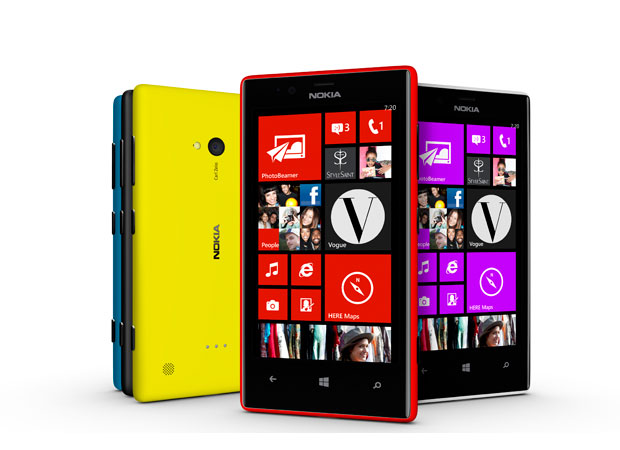
Nokia Lumia 720

The Nokia Lumia 720 has a 4.3-inch and 800 x 480 ClearBlack display. This is roughly the average size of smartphone these days, though technically, the 4.3" screens are more pocketable than the larger 5" screen handsets. This is however going to be based on preference. 

The Lumia 720 has a polycarbonate body just like the Lumia 920 but it is slimmer and lighter.   The Lumia 720 is only 9mm thick and is a lightweight at only 128 grams.  

In terms of performance, the Nokia Lumia 720 packs a dual-core 1GHz Snapdragon CPU which should give you quite an ample enough speed in terms on in application browsing, considering the lightweight nature of Windows 8 ecosystem. Irregardless of it being paired with only 512MB of RAM, the Windows 8 system is built to be light and buttery thus speed and ease of browsing should not be a problem.   

The rest of specs include a 2,000mAh battery (good enough to keep you juiced up for the whole day of moderate use), NFC, wireless charging, 6.7-megapixel rear camera with f/1.9 lens (the photos are quite comparable to most higher end smartphones even in low light situations due to its aperture), 1.3-megapixel front camera with wide-angle lens.

Nokia Lumia 720 Specs, Price
  • 4.3-inch ClearBlack display
  • Gorilla Glass 2
  • 1GHz dual-core Snapdragon S4 CPU
  • 512MB RAM
  • 8GB internal storage (expandable up to 64GB)
  • 7GB Free Skydrive Storage
  • 6.7-megapixel rear camera with f1.9 lens
  • 1.3-megapixel front camera with wide angle lens
  • Windows 8 OS
  • 2,000mAh battery
The Lumia 720 is priced at P14,590.


Nokia Lumia 520

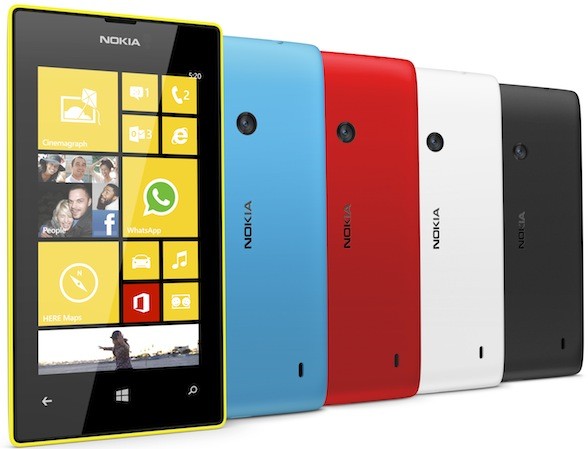
The Nokia Lumia 520 is smaller than the Lumia 720 but is a more comfortable size visually compared to the Nokia Lumia 620.  It uses a 4-inch WVGA (800 x 480) IPS LCD display which is roughly the same dimensions as that of the iPhone 4/s.  The main specs of the Lumia 520 include a dual-core 1GHz Snapdragon CPU, 512MB of RAM, 5-megapixel rear camera, 8GB storage, microSD slot (up to 64GB) and 1,430mAh battery.  The Lumia 520 will come in cyan, yellow, red, black and white colors. 

I personally would rather pic this rather that Nokia 620 as they come in quite close in terms of specification but is priced much lower. That is if you can live without a front facing camera and flash. I would most likely use this as a second phone though, as there are still some limited functionalities that one can experience with this as compared to its much larger brothers the Nokia Lumia 820 and Nokia Lumia 920. 

Nokia Lumia 520 Specs, Price
  • 4-inch IPS LCD (800×480)
  • Gorilla Glass 2
  • 1GHz dual-core Snapdragon S4 CPU
  • 512MB RAM
  • 8GB internal storage (expandable up to 64GB)
  • 7GB Free Skydrive Storage
  • 5-megapixel rear camera
  • Windows 8 OS
  • 1,430mAh battery
The Lumia 520 is priced at P7,990.

These are definitely pretty good contenders for the budget conscious and if you are someone that likes a simplified OS, that is easy to use and understand. There is very little though one can do in terms of customization with the Windows Phone OS. 

If you have picked any of these units up and have gotten a chance to get to go through a day to day's use of these handsets, do share your thoughts about it and what you like and don't like about it. We would be more than happy to hear all about it.

Till Next Time...

-Metz-

Samsung Galaxy S4 Now Available in Metro Manila

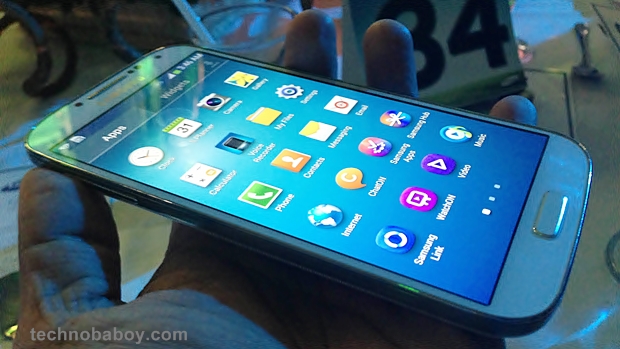
Samsung just released the Galaxy S4 International version in the Philippines.  It is quite known by now that when the Samsung Galaxy S4 was launched globally, there were two variants of CPUs that were announced that was to be used - one is the 1.6GHz Exynos 5 octa-core CPU and the other one is the 1.9GHz quad-core Snapdragon CPU.  It seems that the Philippine version of the Samsung Galaxy S4 will be powered by a 1.9GHz quad-core Snapdragon CPU.   The Samsung Galaxy S4 is starting at the retail value of Php 30,990. This is going to be quite a competitive price for all those wanting the best in Smartphone technology. Not even the iPhone 5 can compete at this level as retail variants of the iPhone 5 have it at around Php 36,000 to Php43,000.

Here are some of the key features of the Samsung Galaxy S4:


Samsung Galaxy S4 Specifications:
  • 5-inch full HD 1080p Super AMOLED Display (1,920 x 1,080 resolution, 441 ppi)
  • 1.9GHz quad-core CPU
  • 2GB of RAM
  • 16GB internal storage
  • microSD card slot (up to 64GB)
  • Android 4.2.2 Jelly Bean
  • 13-megapixel rear camera
  • 2 megapixel front camera
  • 2,600mAh battery
  • LTE
  • Wi-Fi a/b/g/n and WiFi 802.11ac
  • IR LED
  • Bluetooth 4.0
  • NFC
  • GPS/Glonass
  • Dimensions: 136.6 x 69.8 x 7.9mm, 130g
I am pretty excited to get to see how the Samsung Galaxy S4 performs in the local markets. The word is that there are already many that have made pre-orders via the local networks. How people find it after is something am curious to find out. If you have gotten a hold of the Samsung Galaxy S4, I would like to get to hear your thoughts about it and if it is really living up to its name as your "Life Companion"

Till Next Time...

-Metz- 

Budget Android Smartphone of Choice: The New Cherry Mobile Hyper

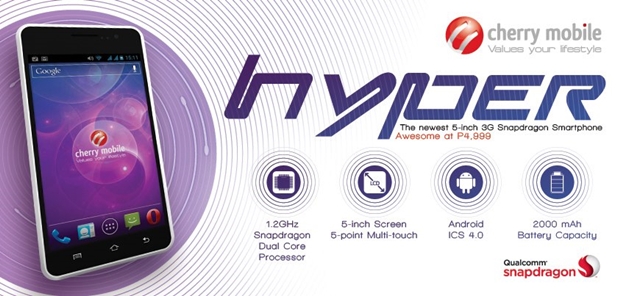
There are so many things that one can expect from the local branded mobile phone maker Cherry Mobile. With their latest release called the Cherry Mobile Hyper, you are given something that can be considered mid-ranged in terms of specs but extremely cheap in terms of pricing.  At P4,999 the Cherry Mobile Hyper is Cherry Mobile's cheapest Android phone of its class.


The Cherry Mobile Hyper sports a 5-inch display, a 1.2GHz a dual-core processor, 512MB of RAM, 4GB internal storage expandable via microSD, 5-megapixel rear camera, VGA front camera and 2,000mAh battery.  

One of the downsides to Cherry Mobile's phablet phone is that it uses an 800 X 480 screen resolution thus you could almost make out the individual pixels. Camera is pretty much the same as that of the Cherry Mobile Titan, thus it is important to always have ample lighting to avoid getting too much of a grainy feel to your photos. 

The Cherry Mobile Hyper will run on on Android 4.0.4 Ice Cream Sandwich.  There’s no word if a Jelly Bean update is available in the future.

Cherry Mobile Hyper Specifications:
  • Dual SIM / Dual Standby
  • 5-inch capacitive display
  • 1.2GHz dual-core Qualcomm Snapdragon processor
  • Android 4.0 (Ice Cream Sandwich)
  • 512MB of RAM 
  • 4GB of internal storage 
  • microSD support up to 32GB
  • 5MP camera 
  • VGA front camera
  • 3G/HSDPA 
  • Bluetooth 
  • Wi-Fi 802.11 b/g/n / Wi-Fi hotspot
  • FM Radio / Multimedia Player
  • 2,000mAh battery
The Cherry Mobile Hyper will be available in black and white colors.  If this is the phone you are currently using, I would love to get to hear more about your user experience and share any tips that you might have here. If this is something that one can be quite Hyper about, I guess that is entirely up to the user. Tell us what you think.

Till Next Time...

-Metz-

Monday, 22 April 2013

Best Windows 8 Like Launcher for Android Smartphones

I have had the time to go through a lot of different Windows 8 Live tile launchers and many if not almost all had failed to function like the actual Windows Live Tile System. That is until the Launcher 8 was introduced into the Google Play Market. Now with 24, 000 user downloads and at an average rating of 4.5, this new Windows 8 Launcher is proving to be quite a good alternative to those that are bored with the regular Android Feel and are craving for something simplified with a Windows Live Tile feel.

Curious? Here are some of the key features of this amazing WP8 Launcher:

- You can add different size tiles;
- You can add a variety of color tile;
- You can save and restore the theme;
- You can edit the start screen layout;
- You can set the current background style;
- You can switch the application list style
- You can add Android widgets in the tiles;
- You can set the wp8 style lock screen and status bar;
- You can select more than one hundred kinds of theme colors;
- You can add special features tiles,like time ,pictures and contact photo.
Reminder:
1 shows the live contact needs to read the contact data access permission;
2 add a shortcut when direct dial call authority need the android.permission.CALL_PHONE ;
3 add send SMS shortcut operation message need permission.
Here are sample Pictures of the interface that is amazingly highly customizable:


Though there are some bugs it still proves to be one of the best new launchers out there and the really good thing about it is that the developer is allowing people to download and use it for free, that doesn't mean though that they wont stop developing and improving it. Based on the user feedback I have found that there have already been several improvements by the time I got to use it and that the developers are constantly working on getting to hit it just right. I personally have moved over to using this launcher over my Sense 4+ on my HTC One X and though some have complained of battery drain, I haven't noticed anything above the ordinary at least in the battery department. I think I'll be keeping this till HTC Sends over the updates for HTC Sense 5 with Blink Feed. 
Overall, this is a must try launcher for all of you that are tired of the User Interface that came pre-installed in your Android units. Do remember that this is still being developed further and may take some tweaking of the settings to get things right. The great thing about it is that this allows you to customize it as much if not more than what Windows Phone 8 allows its user giving it a truly more personalized feel to your phone. Even the lock screen is exactly the same way as that of the Windows Phone 8.
Here's a screenshot of how I have customized mine to my personal taste:

Here is the link for Launcher 8
Till next Time...
-Metz-

Friday, 8 March 2013

Should you Trade in your HTC One X for the HTC ONE

With the launch of the HTC One, many owners of the HTC One X and HTC One X+ are asking the question as to whether or not it would be advisable for them to go for an upgrade and replace their units to the HTC One.

The HTC One as compared to the HTC ONE X have a lot of similarities as the HTC One does take its roots from the HTC One X's success. Both are running Android's latest OS Jelly Bean (HTC One X got upgraded via OTA from ICS to Jelly Bean) and they both have 4.7-inch displays and are both quad core powerhouses (The US version of the HTC One X is dual core. But the similarities end there.

The HTC One is using a 1080p display, as compared to the 720p display on the One X and One X+. The One also is equipped with a faster processor and double the RAM. They also give buyers a choice of a larger internal storage, 32/64 GB variants, and the latest version of Sense (reports though indicate that the HTC One X and One X+ shall be getting the same Sense via OTA in the coming months) user interface. 

The HTC One also has a 2300 mAh battery as compared to the 1800 mAh  and 2100mAh battery in the One X and One X+ respectively. HTC One has a made significant sound enhancements called BoomSound which includes amplified dual-front facing speakers along with an HDR microphone and Sense Voice. The HTC One also has Zoe and BlinkFeed (speculations also indicate that these might be included in the next sense update that shall be rolling out OTA to the HTC One Series units).

Camera is also another feature that has been indicated as an improvement as the HTC One now uses a 4 Ultrapixel Camera that is said to rival those sporting 8MP and 13MP cameras. Though in terms of picture quality shows a slight advantage in low light situations versus that of the HTC One X series. 

With these notable consideration, the HTC One is definitely a nice upgrade for those who are using the HTC One X Series. But in terms of end user experience, the HTC One X series units do present a lot of value in terms of what they bring to the table, and unless you really want to ahead of the game on a yearly basis and dishing out a bit more extra in terms of cash, then the HTC One is your best bet. However, if budget is a concern and you still want to experience the best that HTC has to offer, the HTC One X series is your best bet and from personal experience it is sure to keep you happy and satisfied, just watch the battery consumption which can be improved though with applications such as Juice Defender. 

Till Next Time...

-Metz-

Tuesday, 5 March 2013

Budget Table to Beat: Cherry Fusion Bolt Lives Up to Its Name

Cherry Mobile has just launched their very first quad-core powered 7-inch tablet called Fusion Bolt. The specs are quite similar to that of the Ainol Novo 7 Venus tablet with a slight difference in build quality. The display resolution is also quite good at a 1280 x 800 and uses an IPS panel for a 178° visibility angle. What was eye catching though was its ridiculously low price of 3, 999

Equipped with a 1GHz quad-core processor with 1GB RAM and 8GB internal storage. The processor is exactly the same as that of the Ainol Novo 7 Venus which is advertised at 1.5GHz, though the Cherry Mobile Fusion Bolt has it underclocked at 1.1Ghz.

The one thing I did notice was that going through the UI, there is a negligible amount of lag from time to time considering that it is running on a quad core processor. Temple Run 2 type games run quite smoothly on the device, but Contract Killer Zombies 2 tends to lag a bit. 

The 8GB memory was used to cut down on cost however this shouldn't a problem as the Cherry Mobile Fusion Bolt tablet has a swappable microSD slot anyway. Other slots include a microUSB slot which they said can run 3G dongles, and a mini-HDMI port.

Rear camera is limited at just 2-megapixel and the front one is a 0.3-megapixel affair. This is something that one shouldn't put too much interest in as it tends to be quite grainy and performs quite poorly in low light situations. Considering the price tag this can be a forgivable thing. The Front Camera though performs quite well, just ensure you are in a well lit room lest you want your webcam image to look like a silhouette.  Battery is 4000mAh which should last the device roughly about 5 hours of heavy usage considering that it is running an IPS Screen and is running on quad core tech,

Overall, the device is a good device for people that want the best of quad core technology but are only willing to dish out Php 4,000 pesos. I can see though the educational benefits that this device can bring to families that want to have their kids to experience the full privileges of modern technology without having to dig deep into your pockets. 

Cherry Mobile Fusion Bolt Specs:
7-inch IPS LCD HD display (1280 × 800 resolution), 216ppi
5-point multitouch display
1.0GHz quad-core Actions Semiconductor ATM7029 processor
Vivante GC1000+ GPU
1GB RAM, 8GB internal storage, microSD up to 32GB
WiFi 802.11 b/g/n
2MP rear camera
0.3MP front camera
Supports external 3G dongle
miniHDMI
Android 4.1 Jelly Bean
4,000mAh Li-Ion battery
186.2mm x 126.9mm x 10.8mm
320 grams
SRP: Php3,999

Till Next Time...

-Metz-


NextBook M805ND - Best Buy 8 Inch Tablet

If you are currently looking for a tablet that is at the 8" category but aren't quite ready to dishout a hefty lumpsum of what one would normally spend for an iPad Mini, then the NextBook 8" (M805ND) is you next best thing. This is a fully featured 8" tablet that is powered by Google Android's 4.1 Jelly bean OS and comes equipped with so many features that'll make you feel that spending the Php 7, 495 on it was well worth it. - For those that are interested in buying this you can check it out at SM Nort Edsa Department store.

Features:
AML8726-MX Dual Core and Front Camera
NEXT8D12F is equipped with AML8726-MX Dual Core CPU and its main frequency up to 1.5GHz. You can surf the net, play games, or stream videos smoother than ever! It also comes equipped with 0.3MP front facing camera to capture that special moment wherever you are!

Capacitive Touch Screen and BT 2.1
NEXT8D12F Dual-core comes equipped with a 8 inch capacitive touch screen for smoother operation. With resolution of 1024x768 pixel, you can be sure of the crispy. Moreover, it is built-in bluetooth 2.1, which enables you to transfer and share your precious things with your friends or colleagues anytime and anywhere.

8G ROM & WIFI & MicroSD Card Compatible
NEXT8D12F Dual-core comes with built-in WiFi 802.11 b/g/n, you can surf the World Wide Web faster than ever. Your new Next8D12F Dual-core is also equipped with 8GB memory, which can also supports up to 32GB with Micro SD card slot.

Google Android OS 4.1
The NEXT8D12F Dual-core is preloaded with the Google`s powerful Linux-based Android operating system 4.1 designed specifically for mobile devices. You can play, listen and surf and never miss a beat!

Overall with ML8726-MX Cortex A9 Dual Core 1.5GHz, Nextbook NEXT8D12F Tablet PC is much clearer and better to use. It uses the Google Andriod 4.1 OS and 8GB nand flash. The camera is 0.3MP. With its 8 inch digital high-definition LCD screen and the capacitive touch panel, you can enjoy a more splendid life. 

Specifications: 

Model NO.:Nextbook NEXT8D12F 
Operation System:Andriod 4.0.4 updated to 4.1
CPU:AML8726-MX Cortex A9 Dual Core 
Frequency:1.5GHz 
Screen:8" High Light TFT 1024*768 Resolution?Capacitive Touch Panel 
RAM:1.0G DDR3 
Nand Flash:8.0GB 
Micro SD,TF Card:Up to 32GB(No Card Includes) 
Camera:0.3 MP 
Bluetooth:Support 
Audio:Support MP3,WAV,OGG,FLAC,APE,AAC,WMA?license? 
Video:Support AVI,3GP,MP4,RM,RMVB,FLV,MKV,MOV,MPG,VOB,DAT,WMV,ASF 
WiFi:Support WiFi, 802.11b,g,n 
3G Dongle:Support 
Image Format:Support JPEG,BMP,GIF,PNG 
E-Book:Support Epub,TXT,FB2, RTF 
Read Speed:30~31MB/S(MLC flash) 
Write Speed:4~5MB/S(MLC flash) 
Gravitity Sensor:Support 
HDMI:Yes 
OTG:Support Mouse,keybord,uDisk 

Other Applications:Apk installer/ASTRO/Browser/Calculator/Calendar/Camera/Clock/Downloads/Email/Ebook/File Browser/Gallery/HDMI Switch/Office Suit/Search/Settings/Slide Me/Sound Record/Task Killer/Weather Forecast (optional),Recording 
Language:English,Chinese(China),Chinese(Taiwan) 
Interface:Micro SD Card 
USB Interface 
3.5mm Earphone Interface 
Color:Black 
Power Adapter:US Plug AC100/240V 50/60HZ DC 5V/2A 
Battery:Li-polymer 4720mAh 
Battery Time:Use to Listen Music:about 6-hour; Use to Watch Video: about 5-hour 
Use to browse:about 5-hour

Till Next Time...

-Metz-

Monday, 25 February 2013

Simple Yet Elegant - Smart Launcher Pro

I rarely would go to a different launcher UI for my HTC One X as there are very little that are out there that show a sense of style and yet not hog up my battery and phone's memory just to work. I was fortunate enough to have gotten to stumble upon one Android Launcher that is capable of giving me the simplicity and functionality of an Android environment but yet is elegant and smart in its design. That is what Smart Launcher Pro has provided for those that would be willing to pay out a little bit more for something that gives a very intuitive UI.

Smart Launcher is an innovative launcher characterized by a minimalist design, low memory usage and an user-friendly UI that let you start any application with a few taps.

It is currently the only launcher on the store to features automatic cataloging of installed apps!
I don't use any license check, it's useless. I update this app weekly, spend few dollars is easier than download a pirate version every week.

Features:
- Main screen with Quick Start
- Drawer organized by categories
- Ready to use without special configurations.
- Support for Live Wallpaper and screens of different sizes.
- Support of set of icons for Launcher Pro and ADW Launcher

I like how quick and easy it is to navigate around the Smart Launcher Pro. You can tap on the side or the app launcher button to get to the app drawer. The automatic cataloging of the installed applications makes it so easy to find your applications. If ever you do find that one of the applications have been placed in the wrong category, transferring them around is as simple as dragging it to the appropriate category. 

It is also quite rare to find an alternative launcher that supports live wallpaper and this one does. The flower patterned quick buttons make it all the more attractive to look at. 

Overall, the Smart Launcher Pro is a must use launcher for those that are tired of the usual Android UI that has come with your phone. It's simple and yet elegant. It is also quite fast and easy to use. The amount of memory that is uses to work is even far less than what Samsung or HTC have come out with in terms of UI build. If you are still unsure though you can download their free version called the Smart Launcher and see for yourself if this is something that you would like to use on your Android Smartphone. I am confident that you'd like how it feels, and like many others that have used it will most likely be using it moving forward. 

Till Next Time...

-Metz-

Tuesday, 19 February 2013

Get Engaged with Starmobile's Engage 7HD Tablet


After my experience with Starmobile Astra, I took time to get to review and test out their latest Starmobile Tablet called the Starmobile Engage 7HD. I was pleased to have been able to do so as with my review of the Starmobile Asta, the Starmobile Engage 7HD has, in more ways than what one would expect from a budget tablet, performed exceptionally well and is feature packed making it a worthy consideration for those that want more out of what they spend, especially when on a budget.

Starmobile Engage 7HD's first impression doesn't scream that it is a budget device in anyway. It is well built and once you start browsing through the widgets and application browsers, will immediately notice the smoothness and fluidity that I had noticed with Starmobile Astra. The screen quality is pretty good and makes viewing of photos, websites, and videos quite pleasant. I would compare the quality of build and performance to that of the Samsung Galaxy Tab 2 7.0 that is currently priced at Php 12,990.

I love the way that it comes pre-loaded with the most downloaded applications like Facebook, twitter, skype, etc giving you ample space for other apps that you might like to download. It has very little bloatware and runs on stock Android ICS OS. Gaming though is pretty much at par with that of the Samsung Galaxy Tab 2 7.0 so heavy graphics type of gaming such as Modern Combat would strain the unit quite a bit. Games like Contract Killer Zombies One and Two will work fine with it though.

The Starmobile Engage 7HD is also equipped with an 8MP rear shooter and a VGA front camera. Just like the Starmobile Astra, the Starmobile Engage 7HD would need ample lighting in order for you to get the most out of the image. Low light would still produce grainy shots.

Memory is at 8GB but is expandable to 32GB and aside from Wifi, it supports 3.5G USBs allowing you to be constantly connected anywhere you go.

The only downside that I have noted about the device is the lack of bluetooth and its battery life as it is equipped with only a 4000mAh internal battery that gives about 5 hours of continuous video playback. The USB Cable doesn't support anything else but the 3.5G USB stick so placing a bluetooth USB wont work.

Overall at the Php 7,990 price point, The Starmobile Engage 7HD does pack a lot in terms of value and provides an overall pleasant user experience. There are points in which I would have liked to have seen some improvements and feature inclusions, but given the long list of features it has already jam packed into this budget tablet one can be a bit forgiving. I am already looking forward to the successor of the Starmobile Engage 7HD.

Till Next Time...

-Metz-