Showing posts with label Review. Show all posts

Monday, 29 July 2013

Nokia Lumia 1020 - Ultimate Smartphone Camera

I know Windows Phones have been in the shadows due to lack of competitive features that are present in the flagships of Android and IOS smartphones, but with the introduction of the Nokia Lumia 1020 and its 41MP Camera, its no doubt that Nokia is raising the bar in terms of what one would be expecting from their smartphones.

The question though in many consumer's minds is if this is worth shelling their hard earned cash on or would it be better to simply stick to the current market leaders and what they offer. That's what we'll mention in our final analysis at the end of this article.

Nokia Lumia 1020 at a glance

  • General: GSM 850/900/1800/1900 MHz, UMTS 850/900/1900/2100 MHz; HSDPA 42.2 Mbps, HSUPA 5.76Mbps; LTE bands 1, 3, 7, 8, 20 LTE Cat 3 100Mbps down, 50Mbps up
  • Form factor: Touchscreen bar
  • Dimensions: 130.4 x 71.4 x 10.4; 158 g
  • Display: 4.5" 16M-color WXGA (768 x 1280 pixels) ClearBlack AMOLED capacitive touchscreen; PureMotion HD+, 2.5D sculpted Gorilla glass 3; Super sensitive touch
  • Chipset: 1.5GHz dual-core Krait processor, Adreno 225 GPU, 2GB of RAM
  • OS: Windows Phone 8
  • Memory: 32/64 GB of built-in storage;
  • Still camera: 41 megapixel camera with 6-element ZEISS lens, OIS, 3x zoom, xenon and LED flashes
  • Video camera: 1080p video recording at 30fps with two Rich Recording mics; 1.2MP front-facing camera with 720p video
  • Connectivity: dual-band Wi-Fi a/b/g/n, stereo Bluetooth 3.0, standard microUSB port, GPS receiver with A-GPS and GLONASS, HERE Drive+ free worldwide navigation, 3.5mm audio jack, NFC
  • Battery: 2,000mAh
  • Misc: Nokia-exclusive Pro Camera app, FM Radio, built-in accelerometer, multi-touch input, proximity sensor; available in Yellow, White or Black
  • Accessories: Snap-on camera grip with built-in 1,020mAh battery and tripod mount, Snap-on Qi wireless charging cover
At first glance, you'll notice quite a couple of things that stand out with regards to the Nokia Lumia 1020 - Its 41MP Camera, which you'll most definitely as it protrudes at the back of the phone. It is this particular feature that Nokia is banking all of its marketing campaign on. 

This sets the bar quite high for industry standards of 8MP cameras. With the 41MP camera, Nokia Lumia 1020 devices can take much larger pictures and grasp more details. One thing to take note of though is that the pictures are exactly saved as 41MP, they are saved as 34 or 38 MP images, depending on the ratio that you choose. The Nokia Lumia 1020 also creates a duplicate 5MP image that you can use to share on social networks such as Facebook and Twitter. I can just imagine the wait time for users if they didn't have this option when uploading of photos. 

The advantage of having the 41MP camera is that users will be able to capture images quickly and zoom in and crop without loosing picture quality. This is something that most smartphones wont be able to do. It's not just the hardware that makes the Lumia 1020's camera standout. Its software is also robust and easy to use. Users can quickly and easily adjust camera settings from within the Nokia Pro Cam, the default camera app for the Lumia 1020. You can change your exposure levels, ISO, shutter speed and white balance with ease. The debate though is that this can take some time learn to use, but you'll see how these settings when adjusted affects the photo quality real time. Auto setting is also quite adept making the Nokia Lumia 1020 an amazing point and shoot camera.  The Xenon flash is also a big plus when taking night time photos and thus giving the Nokia Lumia 1020 an even greater edge in terms of camera quality. 


The only downside to The Nokia Lumia 1020's features is the lack of app support. Unlike IOS and Android users are only limited to Facebook and Twitter when it comes to sharing of photos. That isn't quite the fault of Nokia as it runs on Microsoft's Windows Phone 8 OS. It runs on a dual core 1.5Ghz Snapdragon S4 processor which works quite efficiently at ensuring that the Nokia Lumia 1020 stays snappy like most top of the line smartphones. It has lots of storage space as it is packing a 32GB internal memory, downside though is that it doesn't have a microSD card for added storage.  

Overall, the Nokia Lumia 1020 is quite an amazing point and shoot smartphone hands down. The Windows 8 OS works well with that of the internal hardware of the Nokia Lumia 1020 making it run as smoothly as how one would experience with most top of the line smartphones that are now currently out in the market, most of which are on a quad core/octa core chipset. Downside is that you have quite a limited number of methods as to how you can share those photos with - which isn't the fault of Nokia. What Nokia has faulted on though on my opinion is the lack of a microSD card as additional storage. The internal memory is quite big considering industry average but with a 41MP photos plus the 5MP duplicates it saves, memory will run out quite quickly. Especially for those camera trigger happy people like me.  Another quirk that I would like to take note of is the non-removable battery. At 2000mAh, snapping pictures with the Nokia Lumia 1020 will be limited to how much power you have on charge. Being able to swap batteries on the go like a regular point and shoot camera can have quite a strong advantage market-wise. 

My personal opinion is that the Nokia Lumia 1020 is a point in the right direction in terms of effort with regards to the Nokia Lumia line, but unfortunately it falls short on things that make it worthy as a full fledged smartphone or a point and shoot camera. The 41MP camera that is sports is undoubtedly a tempting offer, even for one that craves for smartphone tech such as myself, but with the concerns mentioned above the Nokia Lumia 1020 falls dangerously short of getting most consumers to shell out cash to purchase this Ultimate Camera Smartphone. I am hoping that with the next generation of the Nokia Lumia, these things will be taken into consideration, irregardless of whether they stay on the Window's platform or not. 

Till Next Time...

-Metz-

Tuesday, 21 May 2013

Is HTC ONE the One or is the Samsung Galaxy S4 for You?

With both the power house smartphone makers Samsung and HTC fighting for smartphone supremacy which for them equates to marketability and end user desirability it is undeniable that the flagship smartphones the HTC One and the Samsung Galaxy S4 are to be talked about and pitted against each other in a seemingly unending battle of who's who in the world of smartphones.


To help with the choice of whom to go with will eventually weigh in on the consumer's overall preference and what once would consider vital or important to have versus that of course of cost. Here, we'll try to get things spread out for you to understand and hopefully help you make that choice.

Design

Upon first glance of the Samsung Galaxy S4 and HTC One you'll get to see the marked difference in terms of design and build. Once you pick it up you get to see how much more premium one feels compared to the other, considering that they are both flagship devices.

The Samsung Galaxy S4 is somewhat still identical to its predecessor, with just a minor difference in bezel size with the Samsung Galaxy S4 sporting a much smaller bezel. It is also slightly thinner. The Samsung Galaxy S4 uses polycarbonate plastic, which has proven to be tough at protecting the phone from scratches but unfortunately feels a bit too plasticky in the hand. It also is a magnet for grease and dirt. One thing that is good to note about the Samsung Galaxy S4, is that due to its build quality it is light and wont weigh you down much once you put it in your pockets.

The HTC One has migrated far from the polycarbonate build and decided to go with a fully aluminium construction and just a tinge of polycarbonate accents. It has been compared to that of the iPhone 5 feel and look making it aesthetically pleasing to the general public. It is this reason that HTC One gives of a more premium feel as compared to that of the Samsung Galaxy S4. 

In terms of thickness the HTC One is slightly thicker and heavier at 9.33mm and 143g compared to the Samsung Galaxy S4 which is at 7.9mm in thickness and a weight of just about 130g. Upon handling, you will most likely not feel the difference between the two. 


Screen

The Samsung Galaxy S4 sports a 5in 1080x1920 Super AMOLED touchscreen. The HTC One has chosen to use a 4.7in 1080x1920 Super LCD3 display. Samsung's pixel density is at 441ppi and HTC's is at 469ppi. Between the two you will most likely not spot the difference in terms of pixel quality, but you will get to notice a difference in terms of brightness and deep black colors which is quite notable with that of the HTC One as compared to that of the Samsung Galaxy S4.


Performance

This is where the Samsung Galaxy S4 and HTC One are quite at par with each other. Considering that the Samsung Galaxy S4 has a Quad Core (1.9Ghz) and and Octa Core (quad core 1.6Ghz and quad core 1.2Ghz) Version versus that of the Quad Core (1.7Ghz) Version of the HTC One. Quadrant scores between the Quad Core Versions HTC One and Samsung Galaxy S4 are pretty much at par but the Octa Core Version of the Samsung Galaxy S4 edges it a little over the 13000 marker.


Both the Samsung Galaxy S4 and the HTC One proved to be very quick, with apps opening instantly, video playback encountering no issues and multitasking working smoothly. 

Software

With both the Samsung Galaxy S4 and HTC One running on Google's Android 4.2 Jelly Bean mobile operating system one would presume that using the two smartphones' software shouldn't be markedly different. 

The Samsung Galaxy S4's Touchwiz UI is similar to that of the older Samsung model's UI. Making a migration from lets say Samsung Galaxy Note 2 or a its predecessor Samsung Galaxy S3 wouldn't be tough as the interface is pretty much the same. Some people find it a little over complicated though, but with time shouldn't be too bad.

Samsung has included several new features to make the Galaxy S4 more attractive so to speak. These include the feature known as Eye Scroll, a feature that enables users to scroll down web pages and documents by simply using their eyes. This doesn't pan out well as much and from a user standpoint, I highly doubt that this would be used by the general public unless of course you're on a device like Google Glasses (wonder if this is just a teaser and Samsung is planning to compete with Google in this new technological arena). Another software feature is Air Gesture, which enables the user to swipe through pages and images by waving a hand in the air over the screen. I still dont see where this can be useable unless of course you'd be too obsessive compulsive about not leaving a finger print mark on your screen. I still prefer being able to physically touch the screen, though again I wonder if this is a teaser tech for something like that of the Google Glasses. 

The HTC One has revamped their UI  and aptly called it the Sense 5.0. They have stripped it down and is quite easier and elegant to use even compared to the old Sense versions.  HTC's Sense 5.0 user interface introduces Blinkfeed, which reminds me of Flipboard. This makes information on the go quite fun and easy to read. HTC hasn't bundled many apps onto the HTC One at least in terms of bloatware, thus leaving more space for the things that users would want in terms of applications. 

Camera

This is where things get a little tricky as the two smartphone giants have taken a completely different route in terms of technology. The Samsung Galaxy S4 features a 13MP rear-facing camera, while the HTC One features a 4MP 'Ultrapixel' camera on its back.


The Samsung Galaxy S4's camera is typically good. The 13MP excelled at taking photos in well-lit surroundings, producing images full of natural colours and detail. 

Samsung has configured the Galaxy S4 with some custom camera tools, including Eraser, Animated Video and Sound and Shot modes, expanding on the traditional Android camera interface.

The HTC One's 'Ultrapixel' camera was expected to be the "next big thing" at the handset's launch and with new features like the ZOE HTC is hoping to get to capture the market's interest. 

Both these units performed quite well in well lit situations but in low light, you'll get to see where the HTC One excels, just be careful though to keep a steady hand when taking low light shots. Picking out which to choose at this stand point is certainly a matter of preference. The flash of the Samsung Galaxy S4 does compensate at times when there is little to no light so night shots shouldn't be much of a problem and HTC One's performance is pretty much at par with the picture quality of that of the Samsung Galaxy S4.


Battery and storage

The Samsung Galaxy S4 is powered by a 2,600mAh battery, while the HTC One features a slightly smaller 2,300mAh battery.

The time with which Samsung Galaxy S4 and HTC One gets fully drained at least with general use, but with the Samsung Galaxy S4 having a removable battery, gives it a slight advantage over that of the HTC One. I personally can attest to this need as when my HTC One X's battery had to be replaced, I was advised to contact the HTC Service center to have it done versus just dropping by a store to buy new ones for my Samsung Galaxy Note 2. 

In terms of storage, the Samsung Galaxy S4 boasts either 16GB, 32GB or 64GB of internal storage, and this can be expanded with an additional 64GB using a microSD card. The HTC One on the other hand comes with either 32GB or 64GB of internal storage, with no capability to expand this further.

This is again where it gets a little tricky. Most people really want to have an external memory option, however with Jelly Bean, most buyers dont realize that you wont be able to migrate applications to an external microSD. This makes whatever internal memory you've got as the only space for installation of applications. Thus, the microSD is only used for media files and if you get the 16GB models of the Samsung Galaxy S4, you'd only have around 10+GB of useable memory for applications. I would veer away from the Samsung Galaxy S4 16GB options if you are the type that loves to gather as much application as you can, otherwise opt for the the 32GB and 64GB versions. HTC One however has had that issue in their foresight. Additional storage space though does help out a bit when you like to store lots of media files, making the choice of having an external card option as a matter of choice.

Both of these manufacturers have also included cloud storage services to compensate a bit more for memory space though the general market would still prefer a larger storage capacity or at least the option to extend it a bit more.

Overall

Making a choice between flagship devices is definitely not an easy choice. It'll be a battle of functionality, features, and aesthetics. which you'll choose is entirely a matter of preference and deciding on which you feel best suits your need and lifestyle.

Between the two though, I would pick the Samsung Galaxy S4 for the following reasons:

1. The battery is easily replaceable, if anything does go wrong with this part of the phone I can easily drop by a gadget shop and buy a replacement. I don't need to call service or customer care to get an appointment and go out of my way to have my battery "fixed"

2. MicroSd Card option, let's say you're on a budget and yet wants a high end phone. Getting the 16GB model is definitely going to be the cheaper end of the spectrum for the flagship but with the microSD card slot you'd have places to store those pics, videos and other media files without having to eat up on your main memory. Though a little scrimping on the number of apps you can install is sacrificed but the overall fun you can have with the phone isn't.

3. Accessories are easy to find. Prior to the release of the Samsung Galaxy S4 to the general market, you'd find that there are already several accessories available once you do grab the phone. My experience unfortunately with HTC One series is that accessories are few if not hard to find and not many are able to accentuate the beauty of it's design making it look quite bland and bulky at times.

I guess you can say that I am pragmatic in terms of my choice. I personally like to grab a device that can work well with me long term with out too much of a hassle and still provide me with a great end user experience. Again, this reflects who and what I am. I'd be quite happy to hear what your thoughts are on these two and which shall be your choice?

Till Next Time...

-Metz


Samsung Galaxy Note N7000 Jelly Bean Review

Time to break from the temporary Hiatus from Sidestrip with a bit of good news. As promised, Samsung has released the latest firmware update for the Samsung Galaxy Note N7000 to the general public here in Asia, specifically the Philippines. They were able to meet the time frame of rolling everything out before the 2nd quarter deadline was over. With that aside, let's take a closer look as to what one will expect to experience and how to troubleshoot some of the little things that I have encountered with the firmware update to Jelly bean 4.1.2.

The software update came just as the Samsung Galaxy S4 started hitting the local market which I believe was done so that people would be able to see the marked difference between the two units even with the upgrade. Though had they rolled this firmware out people would have most likely stuck with the N7000 rather shifting to the Samsung Galaxy Note 2. The logic I believe behind it is due to the fact that now people have something to upgrade to that is more desirable, so to speak.

For those that are still using the Samsung Galaxy Note N7000, there are many things that have been provided for in terms of functionality. If you have had the chance to play around with the Samsung Galaxy Note 2 and had envied the features such as pop up play, multi-window, and smart stay, you are quite in luck as these features are now fully integrated and functional with the latest JB update. The writing accuracy and overall feel of the S-Pen has also been improved. I am also happy to report that the battery life seems to be better managed with the new firmware as compared to the previous ICS.


With all the buttery smooth functionality that Jelly Bean has promised, you might get a little dismayed upon the first installation of the JB Device. The reason for this is that in order for you to have a smooth transition from ICS to Jelly Bean, you'd have to wipe clean your Samsung Galaxy Note N7000 prior to the update. This is avoid any low memory issues that may occur as you install the new firmware. You also wont be allowed to install Apps to an external SD with Jelly Bean 4.1.2 thus any application that have been working to and from the internal and external SD could cause an issue. So to avoid having to go through the trouble of hard booting your system and wiping it from the start like I did, it would be best to back up your applications and data, then do a full reset of your phone's data and information prior to proceeding with the installation of the Jelly Bean.

If you had unfortunately already done what I have and installed the Jelly Bean Firmware without doing what I mentioned above, you would most likely encounter a glitchy and an extremely lagging UI, that would probably make you want to through the poor thing out the window. Good news is that you don't have to do that, all you have to do is simply do a full reset and just reinstall your applications one by one. I would also recommend to test each app for any compatibility issues with the new firmware. Applications such as Addons Detector and Google Play Music would prove to be quite glitchy. I would also disable Talk Back in the Applications Manager as this too doesn't seem to function well with the new firmware.

Once you have updated it and have cleared past those little bumps, you'll find a rather smooth operating system, giving your unit a brand new feel to it. The Nature UX is pretty impressive and can seemingly perform almost as well as the Samsung Galaxy Note 2, which is again most likely why they delayed the release of the update to the Samsung Galaxy Note N7000. With both of the units at hand, I still have to attest to the difference in terms of speed and overall performance of the Samsung Galaxy Note 2 over Samsung Galaxy Note. But with this new update, the difference isn't so bad so those that own a Samsung Galaxy Note may opt out of upgrading to the Samsung Galaxy Note 2 and simply wait for the Samsung Galaxy Note 3 which should be out sometime by the last quarter of this year.

Till Next Time...

-Metz

Tuesday, 30 April 2013

Budget Windows Phone 8: Nokia 720 and Nokia 520 now Available


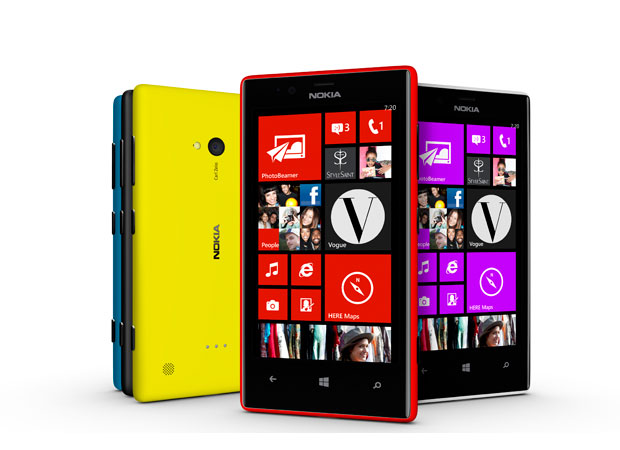
Nokia Lumia 720

The Nokia Lumia 720 has a 4.3-inch and 800 x 480 ClearBlack display. This is roughly the average size of smartphone these days, though technically, the 4.3" screens are more pocketable than the larger 5" screen handsets. This is however going to be based on preference. 

The Lumia 720 has a polycarbonate body just like the Lumia 920 but it is slimmer and lighter.   The Lumia 720 is only 9mm thick and is a lightweight at only 128 grams.  

In terms of performance, the Nokia Lumia 720 packs a dual-core 1GHz Snapdragon CPU which should give you quite an ample enough speed in terms on in application browsing, considering the lightweight nature of Windows 8 ecosystem. Irregardless of it being paired with only 512MB of RAM, the Windows 8 system is built to be light and buttery thus speed and ease of browsing should not be a problem.   

The rest of specs include a 2,000mAh battery (good enough to keep you juiced up for the whole day of moderate use), NFC, wireless charging, 6.7-megapixel rear camera with f/1.9 lens (the photos are quite comparable to most higher end smartphones even in low light situations due to its aperture), 1.3-megapixel front camera with wide-angle lens.

Nokia Lumia 720 Specs, Price
  • 4.3-inch ClearBlack display
  • Gorilla Glass 2
  • 1GHz dual-core Snapdragon S4 CPU
  • 512MB RAM
  • 8GB internal storage (expandable up to 64GB)
  • 7GB Free Skydrive Storage
  • 6.7-megapixel rear camera with f1.9 lens
  • 1.3-megapixel front camera with wide angle lens
  • Windows 8 OS
  • 2,000mAh battery
The Lumia 720 is priced at P14,590.


Nokia Lumia 520

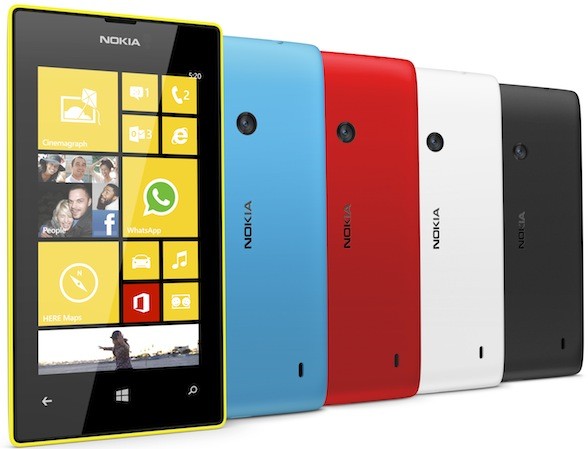
The Nokia Lumia 520 is smaller than the Lumia 720 but is a more comfortable size visually compared to the Nokia Lumia 620.  It uses a 4-inch WVGA (800 x 480) IPS LCD display which is roughly the same dimensions as that of the iPhone 4/s.  The main specs of the Lumia 520 include a dual-core 1GHz Snapdragon CPU, 512MB of RAM, 5-megapixel rear camera, 8GB storage, microSD slot (up to 64GB) and 1,430mAh battery.  The Lumia 520 will come in cyan, yellow, red, black and white colors. 

I personally would rather pic this rather that Nokia 620 as they come in quite close in terms of specification but is priced much lower. That is if you can live without a front facing camera and flash. I would most likely use this as a second phone though, as there are still some limited functionalities that one can experience with this as compared to its much larger brothers the Nokia Lumia 820 and Nokia Lumia 920. 

Nokia Lumia 520 Specs, Price
  • 4-inch IPS LCD (800×480)
  • Gorilla Glass 2
  • 1GHz dual-core Snapdragon S4 CPU
  • 512MB RAM
  • 8GB internal storage (expandable up to 64GB)
  • 7GB Free Skydrive Storage
  • 5-megapixel rear camera
  • Windows 8 OS
  • 1,430mAh battery
The Lumia 520 is priced at P7,990.

These are definitely pretty good contenders for the budget conscious and if you are someone that likes a simplified OS, that is easy to use and understand. There is very little though one can do in terms of customization with the Windows Phone OS. 

If you have picked any of these units up and have gotten a chance to get to go through a day to day's use of these handsets, do share your thoughts about it and what you like and don't like about it. We would be more than happy to hear all about it.

Till Next Time...

-Metz-

Sunday, 10 March 2013

Philippine Salary and Taxes Calculator Application

If you are someone that wants to check out how much you'll be getting each paycheck after all the tax deductions check out this cool Tax Calculator application.

Tax Calculator is a useful tool for computing your monthly or semi-monthly tax of your salary. This tool also computes for your net salary as well as basic deductions. 
Based on experience it does pretty well and is only slightly off by a few pesos. It also is a pretty good tool to compute on how much you'll be getting if ever you are applying for a job and all they indicate is your gross salary. 


The Tax Calculator is pretty easy and straight forward to use. Simply plug in your salary and let it do the rest. 

Overall, I personally love the Tax Calculator application as it is straight forward and does exactly what it says it is meant to do. It simple and easy to use and it is pretty much accurate with the way it computes for your net salary. Not very many salary applications are out there that can do exactly what this can at least for those working in the Philippines. 

Till Next Time...

-Metz- 

Tuesday, 1 January 2013

iView 792 TPC 7" Android 4.0 8GB with Wi-Fi & 3G


Innovative entrepreneurs. Hardworking students. Creative artists. The iView 792 tablet is for everyone. It’s built to impress, entertain, and assist you everyday. Equipped with cutting-edge features, this tablet has a lot in store for you—and everyone.

Mobile multimedia center
Shoot photos. Listen to music. Watch videos. The iView 792 tablet allows you to do just that. It comes with two cameras for two points of view. The tablet also supports 1080P HD video, allowing you to view videos with very brilliant quality. The device is also HDMI-ready. If the 7-inch screen is not enough, you can plug this device to your TV for a better viewing experience. You can also turn it into a personal music device. Through headphones or through its speaker, the tablet delivers high-quality audio you will enjoy.
Speed and space
With 8GB of storage space, you can store all the files you need in this trusty tablet. The storage memory can even be expanded up to 32GB. The tablet is also equipped with a 1.2GHz processor, allowing you to do so much in so little time. 

Making connections
Whether it’s to the Internet or with another device, the iView 792 makes sure you connect with ease. Enjoy high-speed browsing thanks to its seamless wireless network support. Send and receive files too through Bluetooth. 

Mini-organizer
The tablet also has pre-installed apps which help you organize, collate, process, and store information you need. It features the following apps: Google Market, Internet Browser, Office, Calendar, Calculator, Email.

Full Features:
Screen: 7" TFT Capacitive Touch Screen, 1024 x 600 Resolution
Processor: Cortex A9, 1.2 Ghz
OS: Android 4.0
RAM: 1GB DDR3
Memory: 8GB (Support up to 32GB)
Wireless Connection: WIFI 802.11b/g
Support Bluetooth Function
Support GPS
Support 2G/3G Cellphone Function
Support Dual Camera 0.3MP (Front), 2MP (Back)
Support 1080P HD video
Support mini HDMI Output
Audio Output: Stereo Speaker (8Ω 1.0w)/ 3.5MM Stereo Headphone Jack
Google Market, Internet Browser, Office, Calendar, Calculator, E-mail
Picture Viewing, Music/ Video Playback, Ebook, Games
Battery: Built-in 3000 mAh/3.7V


The iView 792 TPC 7" is a budget tablet that is worth looking at and surprisingly quite agile as an android tablet device. The iView is created by a company that has been in the electronics business since 2002 and has been a major parts manufacturer for Olympus, GE, and even its competitor Coby Kyros. The price for the iVew TPC 7" is also something that could make people take a second look as it is below the Php 4,000 peso range and even as low as Php2,999. 

Overall build quality is pretty good and with a rubberized backing is something that won't slip from your grip easily. I have also compared it to the Coby Kyros 3G 7" model and both of these tablet share pretty similar specifications as well as price range. I would definitely recommend this for those who are on a shoestring budget but want a tablet that won't let them down and from one reader who asked if this is something that his kid won't have a problem with and not get jealous with that of his friends, I would say this one is pretty much at par with most mid range models out in the market to date. But if you would want one where it is at par with the Samsung Galaxy Tab 2 there is an iView 7" product that I shall be releasing a review on within the day that is at par and only cost less than Php 9,000 and sporting a 1.5Ghz dual core A9 CPU.

Till Next Time...

-Metz-

Tuesday, 6 November 2012

Filipino Gadget Special: Cherry Mobile Flare

Cherry Mobile is definitely a Filipino Branded Mobile Phone Manufacturer that we can be quite proud of. It has been fighting head to head with other budget brands such as Torque, DTC and many more but with the Cherry Mobile Flare that has just been released, Cherry Mobile is definitely grabbing the crown for a feature rich power packed yet very cheap smartphone device.

Cherry mobile has unveiled the Cherry Mobile Flare which at first glance and even at hand doesn't give one a cheap feel. But the price tag it carries is something of a show stopper at Php 3,999. It sports a 4 inch IPS Screen and inside has a 1.2Ghz Dual Core Qualcomm Snapdragon S4 processor and is paired with 512MB RAM and surprisingly runs a non-bloated stock Ice Cream Sandwich Version of Android. It also has a 5MP camera with 4GB of internal memory which is expandable to 32GB via microSD. Plus it can support two sim cards and has dual standby.

Does it run well against the competition? that is something that I would be happy to say that it does. Compared to the other units made by other high end manufacturers like Samsung, HTC, and many more, the Cherry Mobile Flare does perform quite well at least on the end user experience. I have yet to  put it on a benchmark test but I am betting that it shall do well as many games that were playable on the Samsung Galaxy Note is compatible and very playable on the Cherry Mobile Flare.

Call Quality is also very good surprisingly and so is the signal strength that it can get to pick up with both sim-cards installed. It's fast too cause of the Snapdragon chip paired with the ICS Android software. Camera though at 5MP isn't something one can expect much from but it still does the job. Just make sure you have ample lighting when you take snapshots though it does have an LED flash, unfortunately in low light would still come out as a tad bit grainy.  Battery life is also roughly a bit on the average side but isn't bad considering that one can run a lot of programs on it while snapping shots and of course using two of your sim-cards on it.

Here is a quick run through of what it has to offer:

Cherry Mobile Flare
  • 4-inch IPS capacitive touch panel (800 x 480)
  • 1.2GHz Qualcomm MSM8225 Snapdragon S4 dual-core processor
  • Adreno 203 GPU
  • 512MB RAM
  • Android 4.0 Ice Cream Sandwich
  • 4GB internal storage expandable up to 32GB via microSD
  • HSPA+ 21Mbps
  • WiFi 802.11 b/g/n, WiFi hotspot
  • Bluetooth 2.1
  • GPS w/ aGPS support
  • 5-megapixel rear camera with flash
  • VGA front-facing camera
  • 1600mAh battery
  • Dual-SIM, Dual-Standby
One thing that I have to mention though is that the availability of this unit is still limited as it has just been released and you'd be lucky to find one as many really get sold out so quickly since it's quite cheap. 

Overall, I really would like to recommend this for those that want to get the full Android ICS experience without having to break the budget. Its fast and very easy to use due to the internals and of course the software. Gaming is also something that won't be of a disappointment considering that it runs a snapdragon dual core chip at 1.2Ghz. It even have GPS/A-GPS support so using software like Mapfactor-Navigator is going to be a breeze even without the net. The Cherry Mobile Flare is definitely a budget smartphone that one can be truly proud of, plus its pinoy :D

Till Next Time...

-Metz-

Sunday, 4 November 2012

Huawei's 7" Tablet Power House: Huawei MediaPad

I have been a long time user of the Samsung Galaxy Tablets such as the Samsung Galaxy Tab 7.7 and the Samsung Galaxy Tab 2 7.0. Both of these are very spiffy and very easy to use, especially since both of these Samsung tablet models sports a dual core chipset and is running Android's Ice Cream Sandwich software. Only problem for many is that they would normally want to look for something of a cheaper price range but not sacrificing on the quality of build and more importantly performance. That is where Huawei comes in with their 7" entry to the tablet arena - Huawei Mediapad.

The Huawei Mediapad is the first tablet in the Huawei line to sport the Ice Cream Sandwich software, though they have released earlier models of the Huawei Mediapad that is running on HoneyComb 3.2 which is now being upgraded OTA to the current Android 4.0 ICS. It isn't something that is heavy either contending the Samsung Galaxy Tab 2 7.0 at only 390g and 10.55mm thick. They have improved PPI by giving it a 217PPI making HD videos and e-book reading quite pleasurable. It also sports a 1.3CMOS front camera and a 5MP Autofocus rear HD Camera (Samsung 7" models only offer upto 3MP). Processor-wise it sports a 1.2Ghz Dual Core Snapdragon S3 chip, HSPA+ and WIFI 11 Highspeed internet is supported. It even has GPS/A-GPS support which makes navigation without an internet(using MapFactor Navigator-offline maps have to be downloaded) possible. It also has an expandable microSD card slot upto 32GB.


Taking note of all that, most people would really care about is if it can perform all that it's competitors would offer which the Huawei Mediapad seemingly delivers without a hitch. I guess in a way you can compare the performance of the Samsung Galaxy Tab 2 7.0 and Huawei Mediapad is pretty much at par and in some instances especially in gaming the Huawei Mediapad outperforms well above the competition. In terms of battery performance it also performs just as well with 4100mAh non-removable battery roughly giving 6 hours of non-stop video viewing. Gaming again is pretty good considering that it has 1.2Ghz of Dual Core Snapdragon S3 with 1GB ram to work with. This is mostly due to the GPU that it comes with which is the Adreno 220GPU.

Call quality on a tablet can tend to vary(Yes you can make phone calls here as sim-card support is available enabling also the use of HSPA+ for internet as well) but with the Huawei Mediapad this is something it does well with great reception. Though it doesn't support an earpiece, you can use speaker phone option or have a bluetooth paired along with it. SMS and MMS is also available and it is pretty much basic, but it does give you a huge sms interface to work with.

Overall, the Huawei MediaPad is a pretty awesome tablet power house that one can pick if you want a cheaper alternative to that of the Samsung 7" tablet line. It doesn't have many cons considering its price value.

Here is a quick run down of the specs of the Huawei MediaPad
Huawei MediaPad specs:
7″ IPS LCD display @ 1280×800 pixels, 217ppi
Qualcomm SnapDragon 1.2GHz dual-core
Adreno 220 GPU
8GB internal storage
up to 32GB via microSD
HSDPA 14.4Mbps, HSUPA 5.76Mbps
WiFi 802.11 b/g/n
Bluetooth 2.1
GPS w/ aGPS support
mini-HDMI output
5MP autofocus camera
1.3MP front-facing camera
720p video capture
HiFi audio player
4100mAh battery, up to 6 hours
Adobe Flash 10.3

Till Next Time...

-Metz-

Thursday, 25 October 2012

Mango Tree Restaurant @ The Fort - Thai Cuisine at its Best

I have been a fan of Thai Cuisine ever since I got my first hand experience of it when we last paid a visit to Bangkok at the early part of this year. Now that I am back home in Manila, there would be times when I would find myself craving for that gourmet type of experience that I have had in my trip to Thailand. There are very few notable Thai restaurants that can be found in Metro Manila and of those Mango Tree Restaurant is the one that stands out amongst all of them.


Mango Tree Restaurant is now fast becoming the most visited Thai restaurant in the Metro Manila area for many reasons, but it is the quality of their service coupled with that of their scrumptious and delectable dishes that keeps people coming back for more. The ambiance of the location also speaks much of what one would be expecting of their cuisine. Once you walk in one can immediately notice the Thai ambiance of elegance that they have sought to deliver its guests. The service is quite fast and very personalized and the food choices is something to be admired as it presented in such an artful display considering that they would only take but a few minutes to prepare your lunch/dinner choices from scratch.


Here is what Mango Tree has to say about their history and how they got started in the Philippines.


Thai cuisine is certainly one of the favorite cuisines of the world and world-renowned Thai restaurant Mango Tree has recently landed in Bonifacio High Street Central, Taguig. Mango Tree, being a casual fine dining restaurant, ensures every guest has their memorable experience with its Thai lifestyle cooking and warm hospitality. 

After the tremendous success of 2 previous outlets of Mango Tree Bistro in Quezon City and Makati City, Mother Spice Food Corp. unfurls the new Mango Tree with the memorable tagline, “Thai Cuisine at Its Best”, serving as the city’s new dining beacon subsequent to its popular outlets in Bangkok, Dubai, London, Tokyo, Hong Kong and Doha. 

Mango Tree ranks as a world-class restaurant with dedicated Thai traditions and hospitality and is ready to open its doors to welcoming guests with the freshest ingredients and incredible flavors. Headed by seasoned Chef Siwat Korsem with experience in Thai cuisine for over 27 years, Chef Korsem will continue Mango Tree’s vision of ensuring that every customer is satisfied with the complexity of tastes by using only the best and freshest ingredients, an array of nutritious Thai organic herb and spices and the cooking lifestyle that would spell an impeccable experience always. 

Mango Tree’s menu brings together the best of all four regions of Thailand. Its signature dishes include Miang Kham, Yum Pla Duk Fu, Gai Hor Bai Toey, Goong Mare Nam Pow, Kae Yang, Khor Moo Yang, Tom Yum Goong, Gaeng Phed Ped Yang, Panang Kae, Poo Phad Phong Ka Ree, Pla Krapong Neung Ma Now, Phad Phak Bung Fai Daeng, Phad Thai Goong, Khao Niew Ma Muang – all to challenge the customers’ taste buds. They are all destined to bring a true and unforgettable Thai cuisine experience. 

Mango Tree… Thai cuisine at its best.

Here are some of the notable dishes that I consider as my favorite arranged from Appetizers to Dessert:

Miam Khang
Crispy coconut, savoury herbs with green bitter leaves and tamarind sauce
Tod Mun Goong
Deep fried shrimp cakes served with sweet chili sauce
Pla Muek Yang
Grilled squid served with spicy lime, garlic and chili dipping sauce
Kaeng Liang Goong Sod
Grilled squid served with spicy lime, garlic and chili dipping sauce
Poo Phad Phong Ka Ree
Stir-fried fresh mud crab with onion and yellow curry powder (whole or meat only)
Tow Hoo Phad Med Ma-Maung
Stir-fried tofu with cashew nuts, capsicum and onion
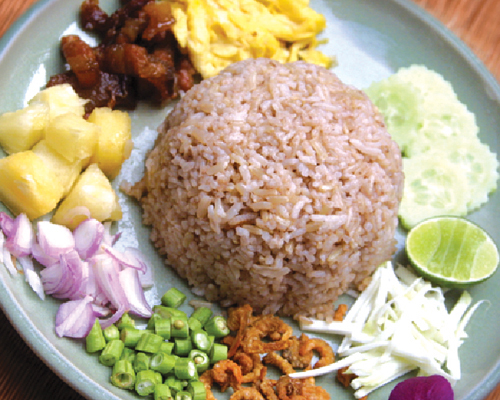
Khao Kloo Kapi
Stir-fried rice with shrimp paste
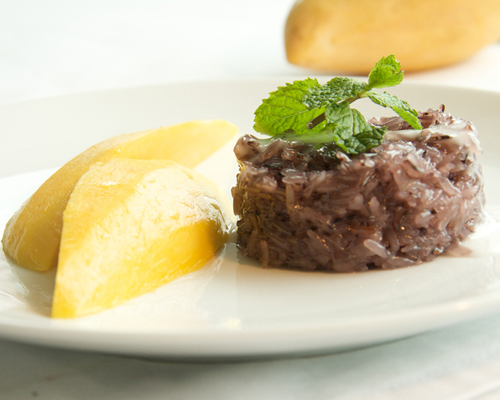
Khao Niew Ma Muang
Ripe fresh mango served with sticky rice
All of those would usually be on my order list once me, my family and friends would visit the Mango Tree Restaurant at the Fort. For those that are worried about allergies or are vegans, I am pleased to mention that their menu has a label for each menu where "s" indicates shellfish is present, "v" indicates its good for vegans, "n" means food has nuts, "w" means that the food has wheat. That is something that is lacking in many or the other restaurants and is particularly important when you are in a resto where the names of the food may seem rather strange at times.

I really enjoy getting to eat here quite often, price range is a little above average but one can see that the food and service is well worth the price. I would probably say you'd be spending about Php 300++ per meal and for a group of 6 people it'll be like Php 600++ per head to keep everyone full and satisfied since most of the serving sizes are for sharing(though if you have a huge appetite I guess Php 1K per head might be a better budget).

If you want to know more, or make a reservation with Mango Tree Restaurant click the following link:
Mango Tree Restaurant

Happy Dining.... Till the Next Time

Wednesday, 24 October 2012

iPad Mini - Apple's Entry to the 7" Tablet War

It has been talked about, rumored, and now it has finally been revealed. Apple has officially entered the 7" tablet market. The question that most people are asking now is if it is really worth checking out and what does it have to offer that is new versus that of what is already being offered by the larger iPad models that they have just released?

The iPad Mini is something of a technological marvel, at least that is how Apple people would put it. To begin with the iPad Mini in terms of pricing is placed at the upper end of the 7" tablet spectrum where the cheapest is at $329 for the 16GB Wi-Fi model and $459 for the Wi-Fi + Cellular(which is LTE capable) model. This is quite pricey compared to the Nexus 7 and other Kindle Fire models so how this will be received by the general public is going to be an interesting outcome.

In terms of the size factor the iPad Mini is in the larger size of the 7" tablet types as it sports a 7.9" screen. Apple claims that with this size you hold the iPad Mini with one hand(i wonder how big were the hands they tested this claim on) and that it is considerably lighter than its bigger brother(i would be surprised if it did weigh more considering it is much smaller). It also is quite thinner and has been compared to the thickness of that of a pencil. What Apple is expecting is that people who had avoided buying an iPad before due to its size now has no excuse to buy one especially that now it is easily handled in the palm of your hand.

Another thing that is different with the iPad Mini is that bezel isn't the same size all the way around like the previous iPad models. If held in portrait orientation, the left and right bezel is substantially thinner much like the iPhone. So if ever you place your thumb on the side you'd be touching the screen. The iPad Mini is also narrow enough to allow for thumb typing on the portrait mode(you'd most likely be using both thumbs) making it seem like a Giant iPhone.

Color options for the iPad Mini is going to be the classic Apple white or black, but it matches the iPhone 5 in terms of styling so the white version has a silver trim and the black has a slate trim.

The screen of the iPad Mini is not something one would have expected as it doesn't have the Retina Display that the big brother iPad 3 has. It uses the 1-24x768 resolution which is similar to the iPad 2. This entails that its aspect ratio is at 4:3 ensuring that apps and other contents should fit correctly. But unlike the iPad 2 where pixel quality can be quite noticeable because of the decrease in size, images and videos look a lot better.

Beneath the facade of the iPad Mini is the same tech that was used on the iPad 2. Which means that the iPad mini is running on the A5 chip processor that is a dual core chip and is still quite capable of running the latest IOS 6. Storage options are pretty much standard where one can choose between 16GB, 32GB, and 64GB models. There is no microSD card as usual. In the rear the iPad Mini has a 5MP isight Camera and the front facing 1.2MP Facetime HD Webcam camera. It also has Bluetooth 4.0 and 802.11 a/b/g/n with 2.4Ghz and 5Ghz band for Wifi. Lastly for those sporting the Wi-Fi + Cellular data models will have access to 4G LTE. Like the iPhone 5 the iPad mini will be using the lightning connector.  Battery life is claimed to last upto 10 hours which is still something that would need to be tested.


Accessories were also added in the design of the iPad Mini. They have included the iPad Mini Smart Cover, which was originally designed for the iPad 2 and 3. It is metal hinge has been replaced by one that's covered in the same material as the cover, so the design is a bit more cohesive and is quite easy to snap on and off. It is small and light adding very little to the bulk and weight of the iPad Mini. It basically gives one a feeling of carrying a small paper notebook when it is used.

Overall, If you consider the spec sheets of what the iPad Mini brings to the table and feel that the iPad Mini is just your basic average iPad 2, then you are most likely correct. What it does bring that is different is the size and form factor. Is it worth spending on? that is something only can answer and will definitely have to try it on for size. I myself still prefer the Android 7" models over the iPad Mini mainly because of the Eco System and overall feature functionality that they have, but that is based on my own opinion. Quality of the build is something that Apple has proven to be consistent about and I would guess that is what kept people coming back for more.


If you want to get to see a comparison fo the iPad Mini with its bigger brothers click the following link:
iPad Mini Compared

Till Next Time...

-Metz-